Shin.Megami.Tensei.V.Vengeance.Deluxe.Upgrade.Pack-KaOs
This pack contains the v1.0.1 update and 7 DLC packs for Shin Megami Tensei V Vengeance KaOs Repack.
[DOWNLOAD]
How do I install this?
1. Download the attached .rar file.
2. Go to where you installed the game. This folder should contain Launcher.exe and 010069c01ab82000.nsp file for the game with emulator folder.
3. Extract the rar file to this location. The folder should now look like this:
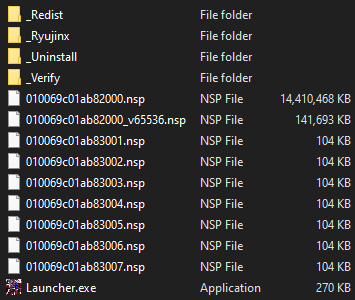
4. Next, go into the _Ryujinx folder and double click Ryujinx.exe to load the Ryujinx dashboard.
5. Go to Options ---> Settings.
6. Follow instruction in below image:
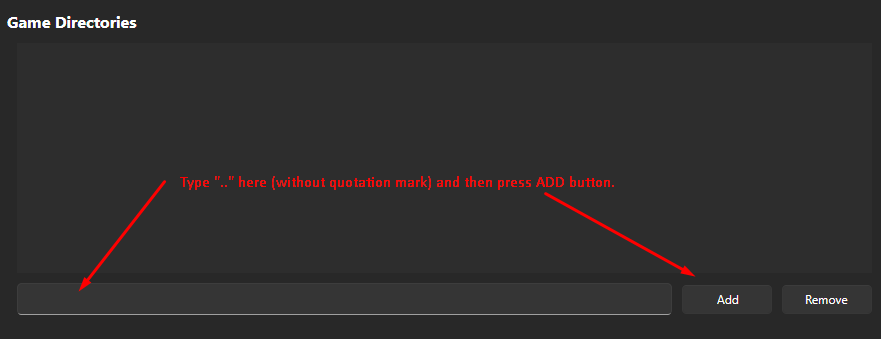
7. Close settings menu. Shin Megami Tensei V Vengeance should now appear in Ryujinx dashboard.
8. Right click the game and select "Manage Title Updates". In the file explorer window, select the "010069c01ab82000_v65536.nsp" file you extracted in the folder above.
9. Game version should now read v1.0.1 next to game icon in Ryujinx Dashboard.
10. Right click the game and select "Manage DLC". Click ADD button in bottom left and select all 7 100kb NSP files extracted earlier. Click SAVE button.
How do I know if I did these steps correctly?
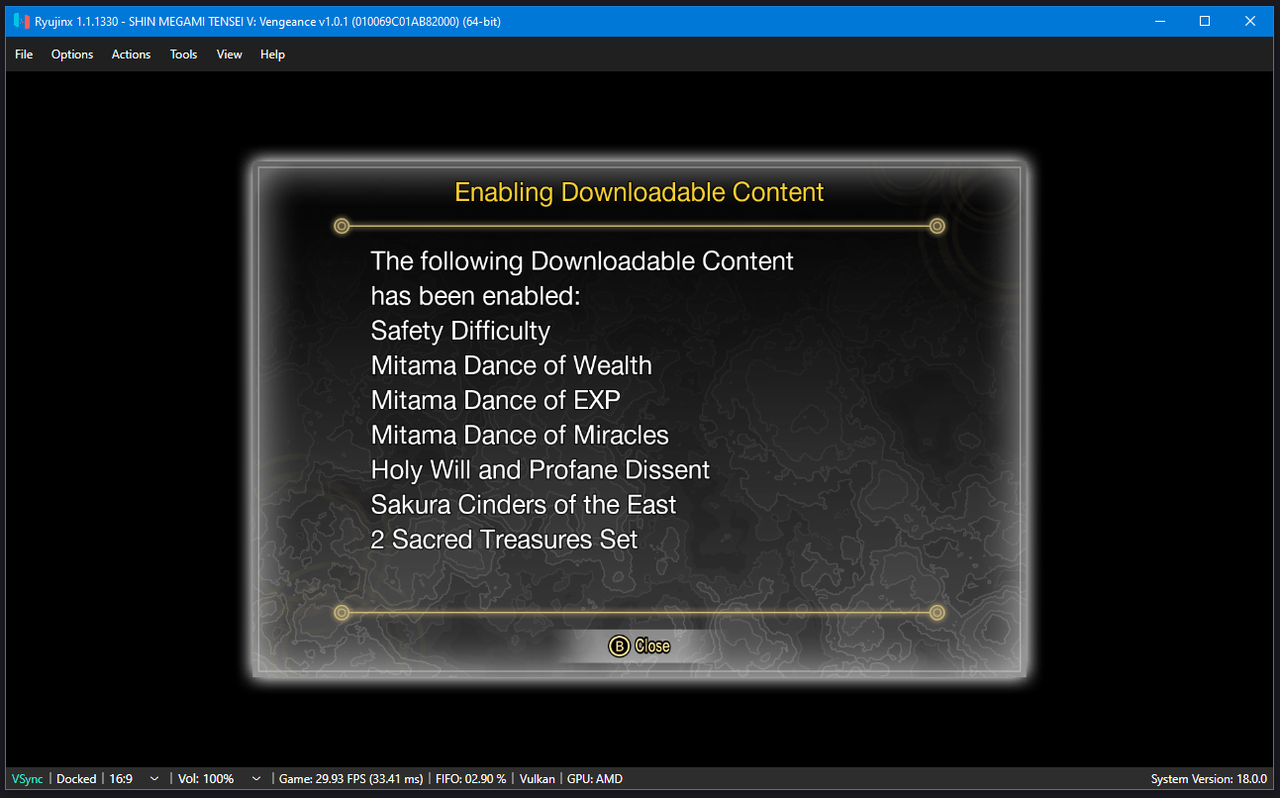
When loading the game, you should see v1.0.1 in the Ryujinx title bar and you will be prompted with DLC unlocks. Please see below image as reference: